Quick Navigation
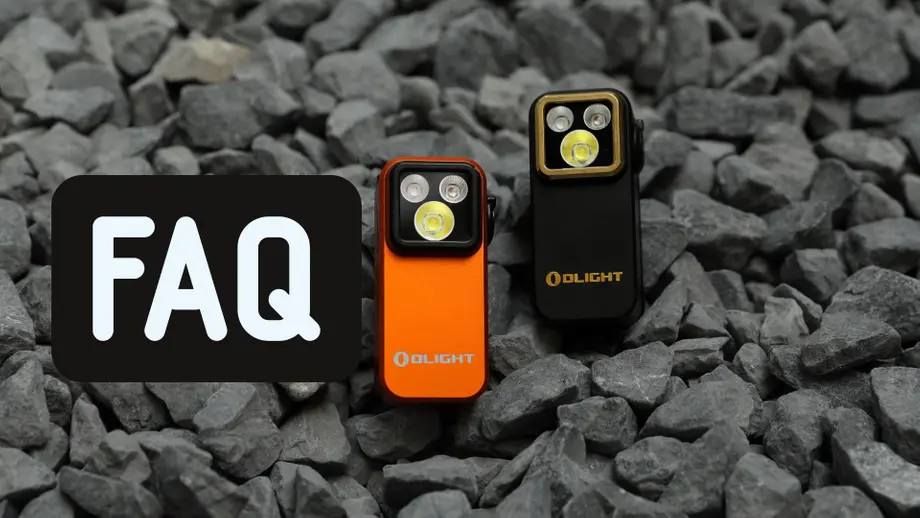
The Olight Oclip Pro S is a powerful, multi-functional clip-on flashlight designed for everyday carry (EDC), outdoor adventures, and professional tasks. Featuring multiple light sources—including high-performance white, UV, and RGB—it offers unparalleled versatility in an ultra-compact design.
To help you maximize the potential of your device, we have compiled this comprehensive FAQ guide. This resource covers everything from basic UI operations to advanced lighting modes and essential safety maintenance.
❓ General Operation
Q1: How do I lock or unlock the Oclip Pro S?
A: When the light is off, press and hold the button for approximately 2 seconds. The light will illuminate briefly and then shut off, signaling that Lockout Mode is active.
To unlock, simply press and hold the button again until the light turns on. This critical feature prevents accidental activation during transport in pockets or bags.
Q2: How do I switch between different light modes?
A: The Oclip Pro S features a physical mode selector. Simply rotate the selector to toggle between:
- White Light: Primary illumination
- UV Light: For verification and inspection
- RGB Light: For signaling and night vision preservation
White Light FAQ
Q3: How do I turn the white light on and off?
A: Press the button once for instant ON or OFF functionality. The Oclip Pro S includes a memory function that recalls your last used brightness level (excluding Turbo, Strobe, and Beacon).
Q4: How do I adjust brightness levels?
A: While the light is activated, press and hold the button to cycle through the standard levels: Low → Medium → High → Low. Release the button when you reach your preferred output.
Q5: How do I activate Moonlight mode?
A: For ultra-low illumination, press and hold the button for 1–2 seconds while the light is off. If Moonlight was the last mode used, a simple single press will also reactivate it.
Q6: How do I enter Turbo mode?
A: Quickly double-press the button to unleash maximum brightness. Double-press again to return to your previous setting.
Q7: How do I use Strobe and Beacon modes?
A: Tactical and emergency modes are accessed via triple-clicks:
- Strobe: Triple-press while the light is OFF.
- Beacon: Triple-press while the light is ON.
UV Light FAQ
Q8: How do I use the UV light?
A: Set the selector to UV and single-press to turn it on/off. The UV mode defaults to Low (300 mW) for safety and efficiency; this mode does not utilize brightness memory.
Q9: Can I adjust UV brightness?
A: Yes. Press and hold the button to toggle between Low and High UV output levels.
RGB Light FAQ
Q10: How do I turn RGB light on/off?
A: With the selector on RGB, a single press operates the light. It will remember your last color and flashing configuration.
Q11: How do I adjust RGB brightness?
A: Press and hold the button to switch between Low and High intensities.
Q12: How do I change RGB colors?
A: A quick double-press cycles through the primary colors: Red → Green → Blue.
Q13: How do I activate RGB flashing modes?
A: Triple-press the button while the light is on to access dynamic modes. Each subsequent triple-press cycles through: RGB Flashing → RGB Scrolling → Red Flashing.
🔋 Battery & Indicator
Q14: How do I check the battery level?
A: Simply rotate the mode selector while the light is off to view the battery status. If the device is in Lockout mode, the indicator will flash red for 2 seconds.
⚠️ Safety & Maintenance FAQ
Q15: What are the key safety warnings?
- Temperature: Avoid storage in environments exceeding 60°C (140°F).
- Eye Safety: Never look directly into the beam to avoid permanent damage.
- Heat Management: Do not block the lens during operation; the output can cause surface burns.
- Water Resistance: While resilient, do not immerse the flashlight in liquids.
Q16: How should I maintain the magnetic clip?
A: The integrated magnet may attract metallic dust. Periodically wipe the clip clean to ensure a secure magnetic attachment and peak performance.
NOTICE
- Please only use the USB-C charging cable to charge the product to avoid damage.
- Charge the product completely before storing it for a long period.
- If the product is carried or transported, please lock it.
- When the charging port is not in use, keep the dust cover closed to prevent dust or foreign objects from entering.
- If you have an ICD or pacemaker, avoid close or prolonged contact with this product to prevent possible interference.
- The switch is a magnetically sensitive component, and proximity to strong magnets may affect its functionality.
- Do not activate the Turbo multiple times in succession to avoid surface overheating.
REMARK
- Do not put a hot light into any type of fabric bag or fusible plastic container.
- Non-pet toys.
- During charging, the white light is limited to Low and Medium modes, and the UV light is limited to Low mode only.
- In environments below 0°C (32°F), the white light is limited to Low and Medium modes, and the UV light is limited to Low mode only.
- The product cannot be charged in environments below 0°C or above 50°C. The red indicator will flash rapidly as a reminder.
- In temperatures between 0°C and 10°C, the white light Turbo will be unavailable.